How to Use a Digital Business Card in Your Email Signature
Key Takeaways
- Adding a digital business card link to your email signature turns every email into a networking opportunity
- Recipients can view your full profile, save your contact, and find all your links — without you attaching anything
- It works across all email clients (Gmail, Outlook, Apple Mail, etc.) because it's just a link
- With MagicLink, your email signature link stays the same even when your info changes — no need to update the signature itself
- This works for individuals, teams, and entire companies
Your Email Signature Is Prime Real Estate
How many emails do you send per day? 10? 30? 50? Every single one of those emails has a signature at the bottom — and most people waste it on a name, a phone number, and maybe a job title.
That's like handing out a paper business card when you could hand out your entire professional portfolio.
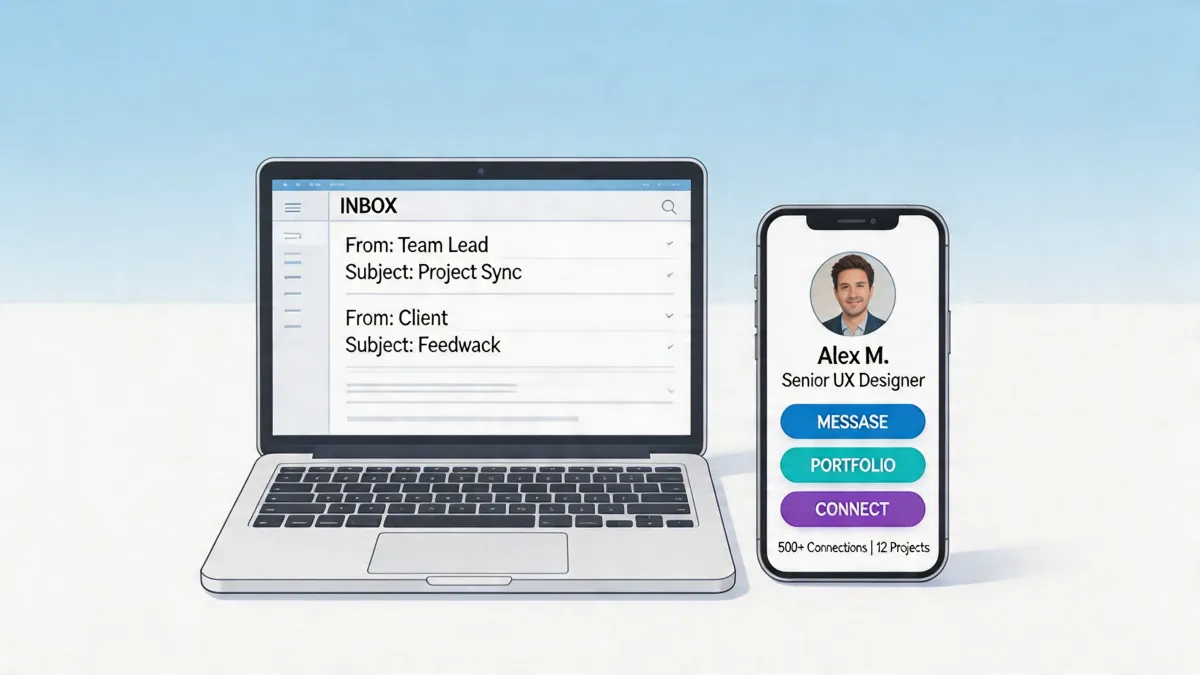
A digital business card link in your email signature gives every recipient instant access to your full profile: photo, contact details, social media, portfolio, booking page, and a one-tap button to save your contact. All from a single click.
What Makes a Good Email Signature Card
The link itself
The core of the setup is simple: add your digital business card URL to your email signature. When someone clicks it, they land on a page with everything about you.
With MagicLink, your URL looks like magiclink.az/bio/your-name (with a custom slug on the Pro plan). It's clean, professional, and memorable.
What the recipient sees
When someone clicks your email signature link, they see your full MagicLink profile:
- Your photo and name — they know exactly who they're emailing with
- Contact buttons — phone, email, WhatsApp, all one-tap
- Save Contact button — they save your full vCard to their phone in one tap
- Social media — LinkedIn, Instagram, Twitter, wherever you're active
- Portfolio or website — direct link to your work
- Location — office address with a map link
- Booking page — if you take meetings, let them schedule directly
Why it beats a traditional signature
A traditional email signature tries to cram everything into a few lines of text. Phone number, email (which they already have), address, website, social media links — it becomes a cluttered mess that nobody reads.
A digital business card replaces all of that with one clean link. Less clutter in the email, more information for the recipient.
| Traditional signature | Digital business card link | |
|---|---|---|
| Contact info | Static text, hard to tap on mobile | Clickable buttons, one-tap actions |
| Save contact | Copy-paste manually | One-tap vCard download |
| Social media | Long list of URLs | Clean icon buttons |
| Updates | Edit every email client when info changes | Update your profile once, link stays the same |
| Portfolio/work | Not included | Direct links |
| Design | Plain text or bulky HTML | Professional, mobile-optimized page |
How to Set It Up
Step 1: Create your digital business card
Sign up at MagicLink and build your profile. Add your photo, contact info, social links, portfolio, and any buttons you want. Customize the design to match your brand. This takes about five minutes.
Step 2: Get your link
Your MagicLink profile URL is your digital business card link. Copy it from your dashboard. On the Pro plan ($1.17/month), you can set a custom slug like magiclink.az/bio/yourname.
Step 3: Add to your email signature
Add a line to your email signature with your link. Here are some formats that work well:
Simple and clean:
Jane Smith | UX Designer
View my digital card: magiclink.az/bio/janesmith
With a call-to-action:
Jane Smith | UX Designer
📇 Save my contact: magiclink.az/bio/janesmith
Minimal:
Jane Smith
magiclink.az/bio/janesmith
Step 4: Set it up in your email client
- Gmail: Settings → General → Signature → paste your signature with the link
- Outlook: File → Options → Mail → Signatures → add your link
- Apple Mail: Mail → Settings → Signatures → edit and add
- Any other client: Find the signature settings and paste
You can also make the link clickable by hyperlinking text like "My digital card" or "Save my contact" to your MagicLink URL.
Why This Beats Attaching a vCard File
Some people attach .vcf files to their emails. This works, but it has problems:
- Spam filters flag emails with attachments more often
- File size increases with every email
- Outdated info — if your details change, every
.vcfyou've already sent is wrong - No portfolio, no social links — a vCard file is just contact data
A MagicLink URL solves all of these. No attachment, no spam risk, always up to date, and the recipient gets your full professional profile — not just a phone number.
For Teams and Companies
This isn't just for individuals. Companies can standardize digital business card links across the entire team.
Every employee gets their own MagicLink profile with consistent company branding. The email signature link format is the same for everyone:
Sarah Johnson | Head of Sales — Acme Corp
📇 magiclink.az/bio/sarah-acme
When someone leaves, changes roles, or updates their phone number — they update their MagicLink profile. The email signature doesn't change. No IT tickets, no mass signature rollouts.
With MagicLink's free plan, each team member can create unlimited pages with full customization. The Pro plan ($1.17/month per user) adds analytics so you can see how many people click your email signature link and what they do on your profile.
Real Impact
Consider the math. If you send 20 emails per day, that's roughly 400 per month. Each one carries your digital business card link. Even if only 5% of recipients click it, that's 20 people per month viewing your full professional profile, saving your contact, and discovering your work.
Now multiply that by a team of 10 people. That's 200 profile views per month — from emails you were going to send anyway.
No ad spend. No social media algorithm. Just your normal workflow, working harder for you.
The Bottom Line
Your email signature is the most underused marketing tool you already have. Adding a digital business card link takes five minutes and turns every email you send into a silent networking agent.
With MagicLink, the setup is free, the link never changes even when your info does, and every recipient is one click away from your full professional identity.