5 Mistakes People Make With Their Link-in-Bio Page (And How to Fix Them)
Key Takeaways
- Too many links overwhelm visitors — keep your page focused on 5-7 top priorities
- Missing contact info means lost opportunities — add a save-contact button, phone, and email
- Outdated details destroy trust — digital pages are easy to update, so do it regularly
- A page that looks broken on mobile is a page that doesn't work — always test on a phone
- Without analytics you're guessing — track clicks to know what's working and what isn't
You set up your link-in-bio page, dropped the URL into your Instagram bio, and moved on. It's live. Job done.
Except it's not. A link-in-bio page is one of the most visited pages you'll ever own. People land on it from your social media, email signature, QR code, or ready-made NFC card — and they form an opinion in about three seconds. If something is off, they leave. No click, no contact, no follow-up.
The good news: the most common mistakes are easy to spot and even easier to fix. Here are five that come up again and again — and what to do about each one.
1. Too many links
The problem
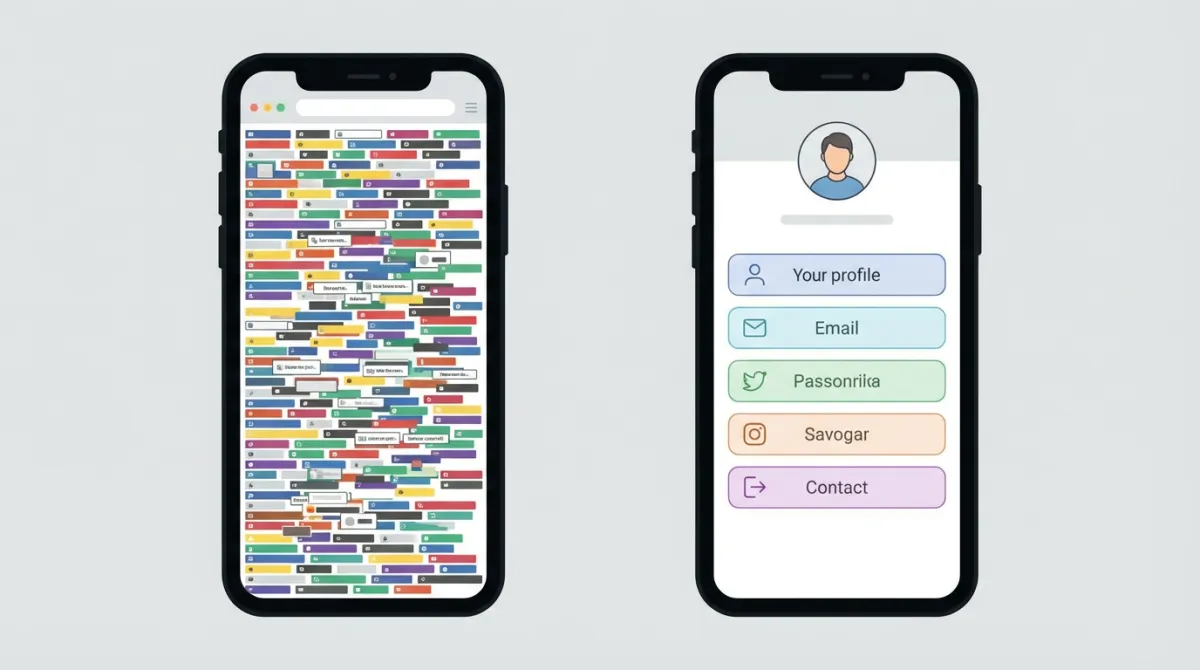
You have a website, a portfolio, a blog, a YouTube channel, a podcast, a Calendly, a Telegram, a Discord, three different social media profiles, and a link to that one article you wrote last year. So you put them all on your page.
The result? A wall of buttons that nobody wants to scroll through. When everything is a priority, nothing is. Visitors get overwhelmed, can't decide what to click, and leave without clicking anything.
This is called the paradox of choice, and it kills conversion rates.
The fix
Be ruthless. Ask yourself: what are the 3-5 things I most want a visitor to do? Put those at the top. Everything else either goes lower on the page or gets removed entirely.
Here's a practical approach:
- Top section: Your most important action — booking a call, visiting your website, or saving your contact
- Middle section: Secondary links — social media, portfolio, a current project
- Bottom or hidden: Anything that's nice-to-have but not essential
Review your page every month. If a link hasn't been clicked in weeks, it probably doesn't belong at the top.
On MagicLink, you can rearrange buttons and links with drag-and-drop, so reordering takes seconds. You can also use different link types — large buttons for primary actions and smaller social icons for secondary links — to create a clear visual hierarchy.
2. No contact info or save-contact button
The problem
Your page has links to your Instagram, Twitter, and LinkedIn — but no phone number, no email address, and no way for someone to save your contact details to their phone.
Think about what happens after someone meets you at an event, scans your QR code, or taps your ready-made NFC card. They land on your page. They want to save your number so they can call you later. But there's no save button. So they screenshot your page, maybe, and that screenshot gets buried in their camera roll. A week later, they can't find it.
You just lost a lead.
The fix
Add a save-contact button (vCard). When someone taps it, your name, phone number, email, company, and job title get added directly to their phone's contact list. No typing, no screenshots, no forgotten details.
Also add direct contact buttons:
- Phone number — one tap to call
- Email — one tap to compose a message
- WhatsApp — one tap to start a chat
MagicLink supports all of these as dedicated link types. The save-contact button exports a full vCard with your photo, and visitors can save you to their contacts in one tap. If you're on the Pro plan, you can also add your card to Apple & Google Wallet — so your contact info lives right in someone's wallet app, always accessible, no digging through contacts needed.
3. Outdated information
The problem
You changed jobs six months ago but your link-in-bio page still says you're a "Marketing Manager at OldCompany." Or your phone number changed and the one on the page doesn't work anymore. Or you're promoting a webinar that happened in February.
Outdated information doesn't just confuse people — it makes you look careless. If someone sees stale info on your page, they wonder what else is out of date. Trust takes a hit.
This problem is especially common with paper business cards (you printed 500, changed your title, and now you have 480 cards with the wrong information). But it happens with digital pages too, simply because people forget to update them.
The fix
Set a reminder to review your link-in-bio page once a month. It takes five minutes. Check:
- Is your job title and company name correct?
- Are all links still working? (Dead links are an instant credibility killer)
- Is your profile photo current?
- Are you promoting anything that's expired?
- Have your contact details changed?
The advantage of a digital page over a paper card is that updates take effect instantly. Change your title on MagicLink and everyone who visits your page — or who already has your Apple & Google Wallet card — sees the new information immediately. No reprinting, no redistributing, no waste.
If you share your page via a QR code on printed materials, the QR code points to your URL, not to static information. So even if the flyer is a year old, the page behind the link is always current.
4. Poor mobile design
The problem
You built your page on a laptop, it looked great on a big screen, and you never checked it on a phone.
Here's the reality: the vast majority of your visitors will view your page on a mobile device. They're tapping a link in an Instagram bio, scanning a QR code, or tapping a ready-made NFC card — all mobile-first actions. If your page has tiny text, buttons that are too small to tap, images that overflow the screen, or a layout that requires horizontal scrolling, visitors will bounce.
The fix
Test your page on an actual phone. Not just the browser's responsive mode — an actual phone. Tap every button. Scroll through the whole page. Check that:
- Text is readable without zooming
- Buttons are large enough to tap with a thumb
- Images load quickly and fit the screen
- The page doesn't have horizontal scroll
- Your photo and name are visible without scrolling
If you're using a platform that lets you build from scratch with full creative freedom, double-check that your custom layout works on small screens. If you'd rather not worry about it, use a platform with responsive templates that handle mobile optimization automatically.
MagicLink's templates are designed mobile-first — they look good on any screen size. You can customize colors, fonts, layout, and content freely (this is available on the free plan with unlimited pages), and the result is always responsive. If you want a pre-designed look, Pro plan templates give you polished, tested designs out of the box.
5. No analytics
The problem
Your page is live. People are visiting. But you have no idea how many, where they come from, or what they click on. You're flying blind.
Without analytics, you can't answer basic questions:
- Which links get the most clicks?
- How many people visit my page per day/week/month?
- Is my save-contact button actually being used?
- Did that Instagram post drive any traffic?
- Which links are being ignored (and should probably be removed)?
You can't improve what you don't measure. And if you're using your link-in-bio page for business, networking, or lead generation, you need to know whether it's actually working.
The fix
Use a platform that gives you analytics. At minimum, you want:
- Page views — how many people visit your page
- Click tracking — which buttons and links get tapped
- Trends over time — are your numbers going up or down
MagicLink's Pro plan ($1.17/month) includes full analytics. You can see exactly how many people viewed your page, which links they clicked, and how your page performs over time. This lets you make data-driven decisions: move high-performing links up, remove dead weight, and see the real impact of sharing your page.
The Pro plan also includes premium templates, custom slugs (so your URL is magiclink.az/yourname instead of a random string), and the ability to add your card to Apple & Google Wallet. At $1.17/month, it's one of the most affordable ways to get analytics and premium features for your digital presence.
Quick checklist
Before you close this article, open your link-in-bio page on your phone and run through this:
- Do I have 7 or fewer primary links/buttons?
- Is there a save-contact button?
- Are my phone number and email accessible in one tap?
- Is my job title, company name, and photo up to date?
- Do all links actually work?
- Does the page look good on my phone?
- Can I see how many people visit and what they click?
If you checked all seven, your page is in great shape. If not, now you know exactly what to fix.
Ready to fix your page?
If you don't have a link-in-bio page yet — or if your current one needs a fresh start — MagicLink lets you create unlimited pages for free with full customization. Add buttons, links, social icons, contact info, maps, and more. No credit card, no trial period, no hidden limits.
For analytics, premium templates, custom slugs, and Apple & Google Wallet cards, the Pro plan is $1.17/month.