What Is vCard and How Does Digital Contact Sharing Work?
Key Takeaways
- A vCard (.vcf file) is a universal standard for storing and sharing contact information across all devices and platforms
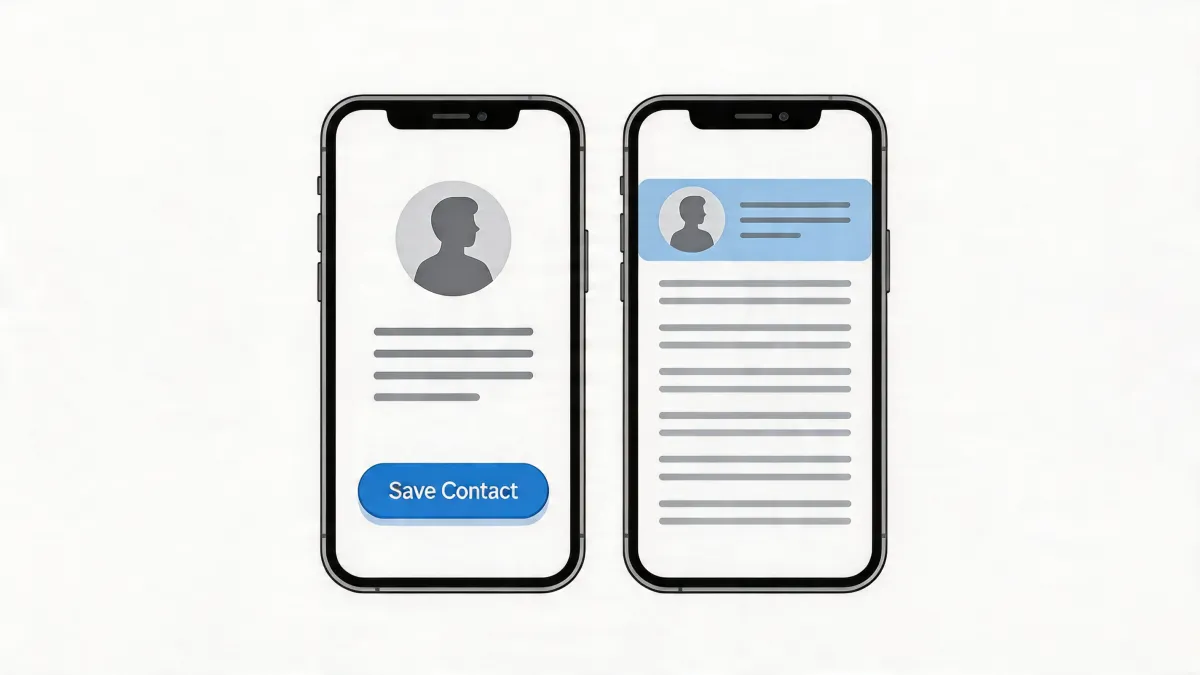
- When someone taps "Save Contact" on a digital business card, their phone downloads a .vcf file and opens the contacts app automatically
- Digital contact sharing eliminates manual typing errors and ensures your info is saved exactly as you intend
- MagicLink lets anyone save your contact with a single tap — no app needed on either side
- Sharing a link to your profile and saving a contact to a phone are two different things — and both matter
What Is a vCard?
You have probably received a contact file at some point — maybe via email, a messaging app, or a website. That file, typically ending in .vcf, is a vCard.
A vCard (short for Virtual Contact File) is a standardized file format for electronic business cards. It was first introduced in the 1990s and has since become the universal way devices exchange contact information. Every smartphone, email client, and contacts app in the world understands the vCard format.
A single .vcf file can contain:
- Full name
- Phone numbers (mobile, work, home)
- Email addresses
- Job title and company name
- Physical address
- Website URL
- Profile photo
The beauty of vCard is its simplicity. It is just a small text file that follows a specific structure. When a phone receives this file, it knows exactly how to read it and offer to save it as a new contact. No special software required. No compatibility issues between iPhone and Android. It just works.
How Does "Save Contact" Actually Work on a Phone?
When you tap a "Save Contact" button on a digital business card — like the ones you create with MagicLink — here is what happens behind the scenes:
- The phone downloads a .vcf file. The button triggers a download of a small vCard file containing all the contact details the card owner has included.
- The contacts app opens automatically. Both iOS and Android recognize
.vcffiles natively. The moment the file is downloaded, your phone's contacts app opens with all the information pre-filled. - You confirm and save. The phone shows you a preview of the contact — name, phone number, email, photo, and everything else included. You simply tap "Save" or "Add to Contacts."
- The contact is stored on your phone. From that moment on, the person's name, number, and details are in your phone's contact list. When they call, their name shows up. When you search your contacts, they are right there.
The entire process takes about three seconds. Compare that to the old way: someone hands you a paper card, you squint at the text, manually type in their name and number (hoping you get it right), and then lose the card a week later.
Why Digital Contact Sharing Matters
Manual contact exchange is broken. It has been broken for a long time, and most people have just accepted it. Consider the problems:
Typing errors are inevitable
When you manually enter a phone number from a business card, there is a real chance you will swap two digits or miss one entirely. The same goes for email addresses — one wrong character and your message bounces. With a vCard, the information transfers exactly as the owner entered it. No room for human error.
Paper cards get lost
Studies show that roughly 88% of paper business cards are thrown away within a week. That is not just wasteful — it means the connection you made at that meeting or event is gone. A digital contact saved to a phone stays there until you deliberately delete it.
Context disappears
Even if someone keeps your paper card, they might not remember where they met you or why they took it. A digital contact saved through MagicLink includes a link back to your full profile, where they can revisit your bio, see your social links, and recall exactly who you are.
Speed matters in networking
At a busy conference, networking event, or meeting, you do not have time to spell out your email address letter by letter. One-tap contact saving means you exchange info in seconds and move on to the conversation that actually matters.
How MagicLink Implements One-Tap Contact Saving
MagicLink makes digital contact sharing effortless. Here is how it works:
Setting up your contact info
When you create your MagicLink profile, you add your contact details — name, phone, email, job title, company, and any other information you want to share. You can also add a profile photo, which will appear in the recipient's contacts app when they save your card.
The "Save Contact" button
Every MagicLink profile can include a "Save Contact" button. When a visitor taps it, MagicLink instantly generates a vCard file with your details and triggers the download. The visitor's phone does the rest — opening the contacts app and letting them save you with one tap.
No app installation is needed. The visitor does not need a MagicLink account. They do not even need to know what a vCard is. They tap the button, and your info is on their phone. That is it.
Works on every device
Because vCard is a universal standard, MagicLink's contact saving works on iPhones, Android phones, tablets, and desktop computers. It does not matter what device or operating system the other person uses.
Sharing a Link vs. Saving a Contact: What Is the Difference?
This is a distinction many people overlook, but it matters.
Sharing a link
When you share your MagicLink profile URL (for example, by texting it, posting it on social media, or putting it in your email signature), the recipient gets a link to your profile page. They can view your bio, click your social links, visit your website, and browse everything you have put on your page.
But the link itself does not save anything to their phone. If they close the browser tab, your info is gone unless they bookmarked it or remember the URL.
Saving a contact
When someone taps "Save Contact" on your MagicLink profile, your name, phone number, email, and other details are saved directly to their phone's contact list. This is permanent — your info lives on their phone alongside their friends and family contacts.
Why you need both
The ideal digital business card does both:
- The link gives people a rich, detailed view of who you are — your bio, your work, your social presence, your portfolio
- The saved contact ensures they can call you, email you, or find you later without needing to remember a URL
MagicLink combines both in one profile. Visitors can browse your full page and then save your contact with a single tap.
Real-World Scenarios Where Digital Contact Sharing Shines
At conferences and events
You meet dozens of people. Instead of handing out paper cards (and receiving a stack you will never organize), you share your MagicLink profile via QR code or a ready-made NFC card. Each person saves your contact instantly.
In sales meetings
You finish a meeting with a potential client. Instead of hoping they kept your card, you send them your MagicLink. They save your contact in two taps, and your name shows up the next time you call them.
On social media
You add your MagicLink URL to your Instagram bio, LinkedIn profile, or Twitter. Anyone who visits your link can save your contact directly — turning a casual follower into a real connection.
For teams and companies
Companies using MagicLink can give every team member a digital business card with consistent branding. When any employee shares their card, the contact is saved with the company name, making it easy for clients to find anyone on the team later.
Going Beyond vCard with MagicLink
While vCard handles contact saving beautifully, MagicLink offers much more on top of it:
- Unlimited pages for free — create as many profile pages as you need at no cost, with full customization
- Ready-made NFC cards — physical cards that link to your MagicLink profile with a simple tap
- Apple & Google Wallet card — add your digital business card to your phone's wallet for instant sharing (Pro plan)
- Analytics — see who views your profile and how often (Pro plan at just $1.17/month)
- Templates — professional designs you can apply with one click (Pro plan)
- Custom slugs — choose your own URL like magiclink.az/yourname (Pro plan)
Get Started with Digital Contact Sharing
If you are still relying on paper business cards or manually typing contact information, it is time to upgrade. Digital contact sharing through vCard is faster, more accurate, and more professional — and MagicLink makes it free and easy for anyone in the world.
Create your free MagicLink profile today and start sharing your contact with a single tap: